Congrats, Purchase Success!

Warning! Don't Close This Page Yet....
Unlock SAS Pro More control, more guidance, more storage

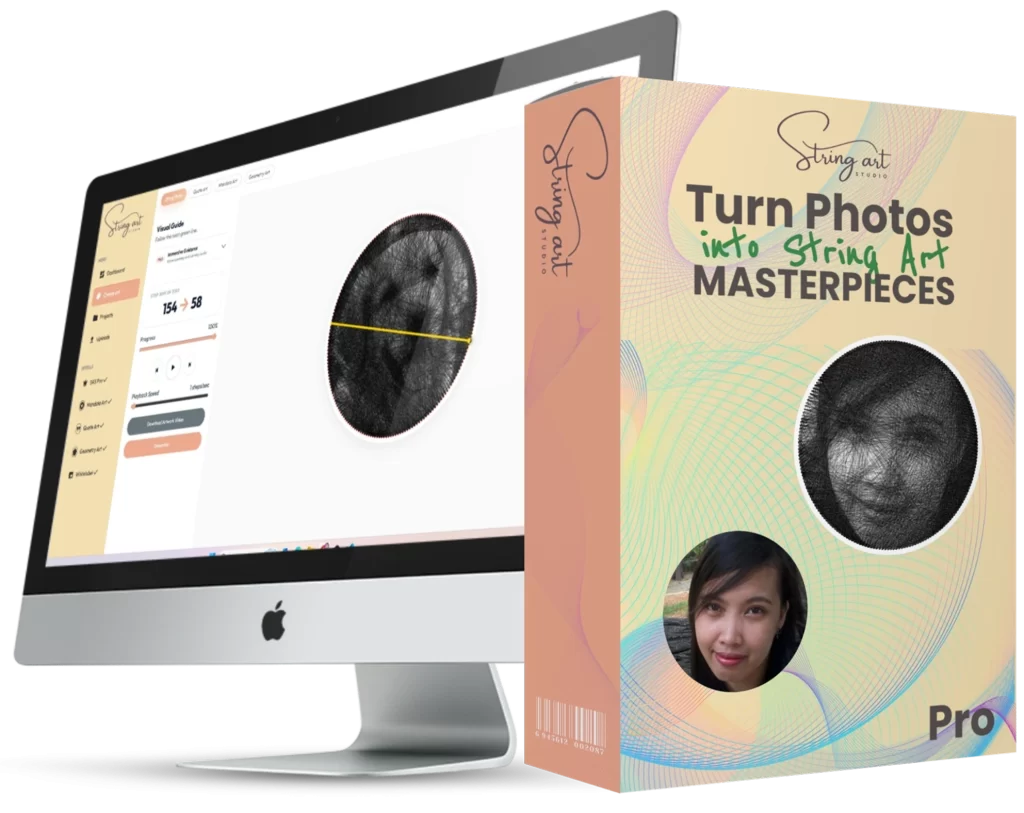
String Art Studio Pro

SAS Pro adds Square boards, Advanced Controls, and Immersive Guidance—plus a bigger cloud storage cap so you can save more projects, uploads, and audio.


What SAS Pro Unlocks

Storage
25GB cloud storage cap
Pro accounts get 25GB of storage for saved projects and other cloud files in your account.
Boards
Square boards
Create Square board projects. Perfect for modern layouts, bold edges, and graphic styles.
Controls
Advanced Controls
Fine tune pin layout and rendering: pins count, lines count, line intensity, brightness, contrast, plus board and thread color controls.
Guidance
Immersive Guidance
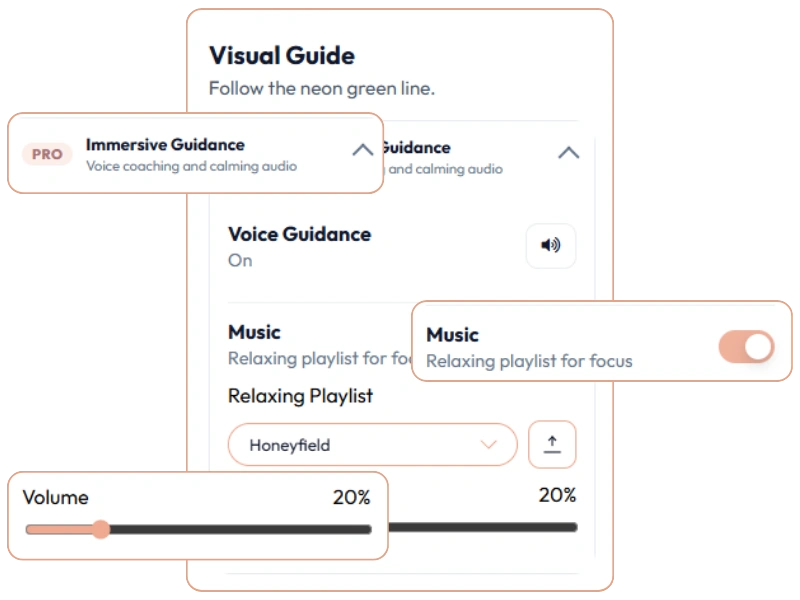
Follow the interactive guide with voice coaching and calming audio. Use built-in music or upload your own audio track.

SAS Pro

More creative range and guidance.
  • Advanced Controls: unlocked
  • Immersive Guidance: unlocked
  • Square boards: included
  • Cloud storage cap: 25GB
  • and more...

  • 25GB cloud storage cap
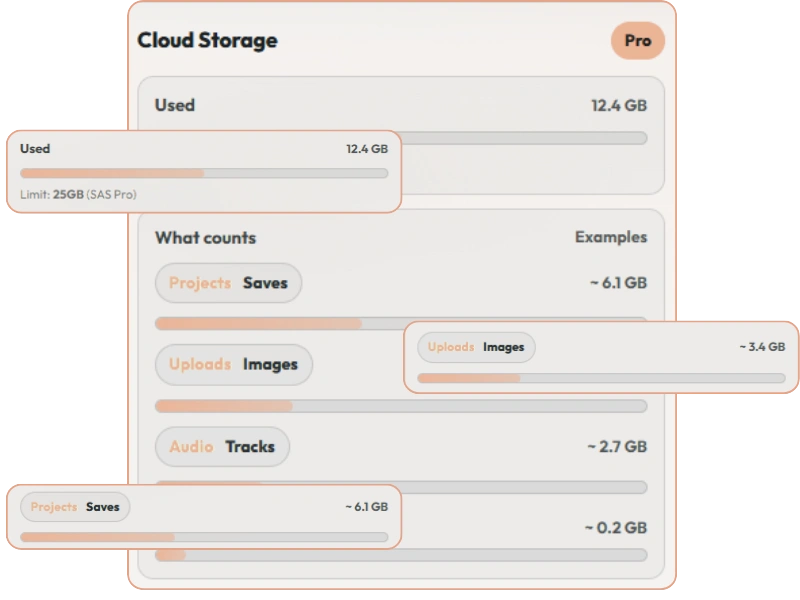
    Your Pro account storage limit increases from 5GB → 25GB.
    StorageProjects • Uploads • Audio
  • Storage-friendly workflow
    Keep more variations of a design without constantly deleting old saves.
    StorageMore drafts • More finished builds
  • Square board projects
    Create and open square projects (Pro-gated board shape).
    BoardsModern framing • Bold edges
  • Edge-driven compositions
    Square boards keep visual weight near the sides—great for typography and high-contrast shapes.
    BoardsPosters • Logos • Typography
  • Pins count control
    Adjust the number of pins to trade off smoothness vs speed.
    AdvancedLayout tuning
  • Lines count control
    Control how many lines are generated for detail vs build time.
    AdvancedDetail vs speed
  • Line intensity control
    Make the thread path bolder or more subtle in preview and exports.
    AdvancedBoldness • Contrast
  • Brightness control
    Lift shadows or tame highlights before the pattern is generated.
    AdvancedImage adjustments
  • Contrast control
    Increase separation for a clearer render, especially on low-contrast images.
    AdvancedImage adjustments
  • Board color styling
    Set a board color so the preview matches your material (wood, white board, etc.).
    AdvancedPreview styling
  • Thread color styling
    Pick a thread color to match your vibe and improve preview/export contrast.
    AdvancedPreview styling
  • Voice guidance
    Spoken coaching while you follow the guide, so you can stay hands-on.
    GuidanceOptional • Focus-friendly
  • Built-in music
    Toggle relaxing music to keep a calm, steady pace on longer builds.
    GuidanceCalm • Rhythm
  • Upload your own audio
    Use your own MP3/WAV track—saved to your account storage for future sessions.
    GuidancePersonal studio session
  • Progress-first guide
    Stay oriented with step progress and a clear “what’s next” flow during the build.
    GuidancePause/resume friendly
  • Volume control
    Balance voice + music levels so you can still hear your environment while crafting.
    GuidanceComfortable listening

Ready to Create Your Masterpiece?

Join thousands of makers who are already turning their photos into stunning string art.

Advanced Controls

When you want a cleaner result or a specific style, Advanced Controls let you dial in the render instead of accepting a one-size-fits-all output.
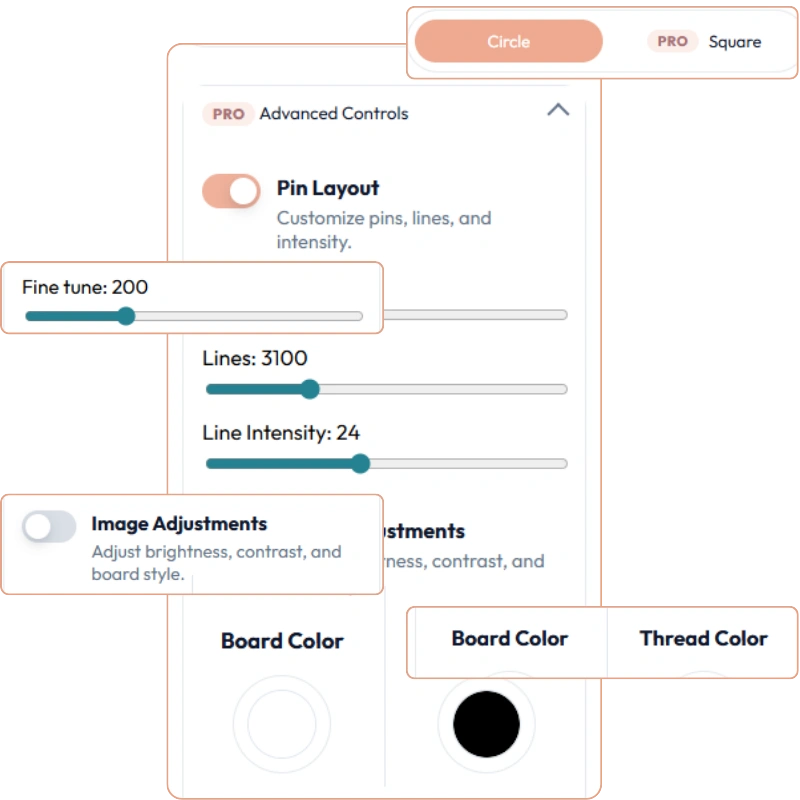
  • Pin Layout tuning: adjust pins, line count, and line intensity
  • Image Adjustments: tweak brightness and contrast to recover details in shadows/highlights before the pattern is generated.
  • Board styling: set board color to match your material (white board, stained wood, etc.) so the preview matches the final look.
  • Thread styling: choose thread color to fit your vibe and improve contrast in the preview and exports.

Immersive Guidance

Immersive Guidance turns your interactive guide into a calm, step-by-step crafting session—so you stay focused, keep your rhythm, and finish with confidence.
  • Voice Guidance: spoken coaching while you follow the neon line—great for staying on track without constantly checking the UI.
  • Relaxing Music: toggle a built-in playlist to create a steady, calming pace during longer builds.
  • Upload your own audio: use your favorite track (saved to your account storage) so every project feels like your personal studio session.
  • Volume control: quickly balance the guide audio so you can still hear your environment while crafting.

Square Boards

Square boards unlock a whole new set of compositions. They’re perfect for modern frames, grid-based designs, and bold edges—especially when you want the string path to feel structured instead of radial.
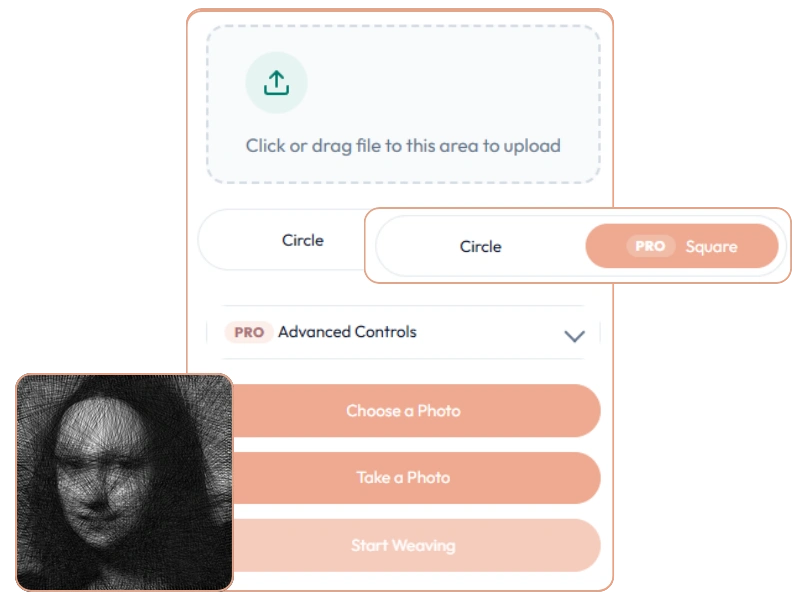
  • Clean geometry: use straight edges and corners for graphic, architectural, and poster-style patterns.
  • Better framing: exports and previews match common square frames and canvases without extra cropping.
  • Edge-driven detail: a square layout keeps more visual weight near the sides great for typography and high-contrast images.
  • Mix with Pro controls: combine square boards with Advanced Controls to dial in pin density and line intensity for a crisp look.

25GB Cloud Storage

Pro expands your cloud storage cap to 25GB so you can keep more finished projects, drafts, uploads, and guide audio in your account—without constantly deleting things to make room.
  • Save more projects: keep multiple variations (different pins/lines/contrast) without worrying about running out of space.
  • Room for uploads: store reference images, assets, and other files tied to your work—great for repeat builds and re-exports.
  • Guidance audio included: built-in music is instant, and your own uploaded audio is saved to your account storage for future sessions.
  • Fewer interruptions: less time managing storage means more time creating (and fewer “storage full” moments mid-project).

Ready to Create Your Masterpiece?

Join thousands of makers who are already turning their photos into stunning string art.
Unlock String Art Studio Pro
Get Advanced Controls, Square boards, and Immersive Guidance—plus a larger 25GB cloud storage cap so you can save more projects, drafts, and audio.
Total Value: $969
One-Time Payment
Frequently Asked Questions

SAS Pro unlocks the full creative toolkit: Advanced Controls (pins/lines/intensity + image tuning + styling), Immersive Guidance (voice + music + optional audio upload), Square boards, and a larger cloud storage cap (25GB).

Yes. Upgrading doesn’t delete or reset anything. If a project uses Pro-only features (like Square boards or certain advanced settings), those options may appear locked when you’re not on Pro—but your files remain in your account.

Yes—Pro is linked to your account. Sign in with the same account on any device and your Pro features and cloud projects are available.

Anything saved to your account’s cloud storage counts—projects and saves, uploaded media (like images/audio used for guidance), and other stored assets. Your storage meter shows what you’ve used so you can manage it.

Yes—you can keep exporting your designs for building and printing. Pro is focused on unlocking more creation options (Advanced Controls, Square boards) and a guided building experience (Immersive Guidance).

Start Creating Today

Stop guessing and start weaving. Turn your memories into tangible, beautiful art with String Art Studio.